Game company Microsoft has confirmed that five Bethesda titles will be getting the FPS boost treatment on the new-gen Xbox consoles today.

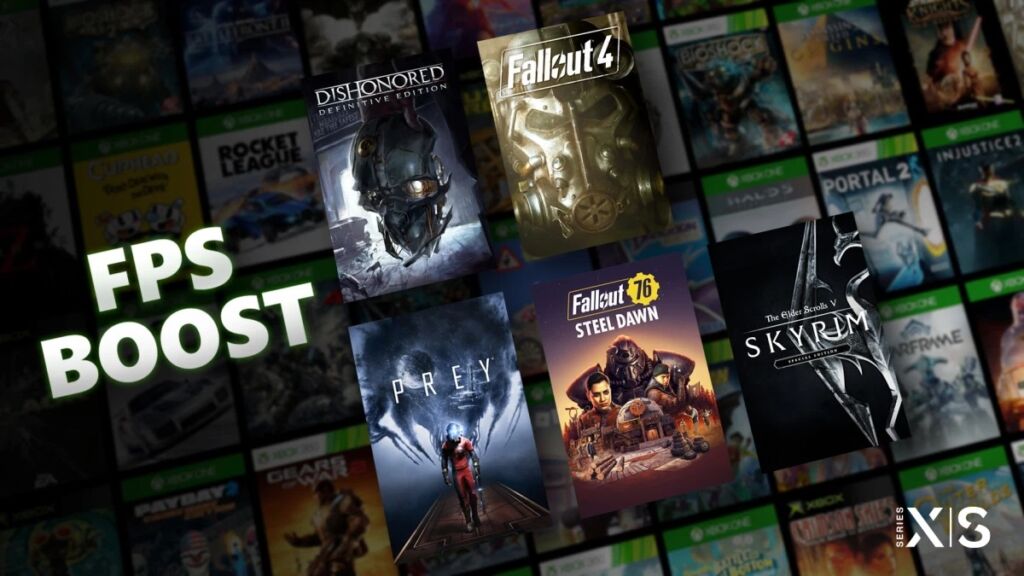
Five Bethesda games will be getting the FPS boost feature today, which are the following:
- Dishonored – Definitive Edition
- The Elder Scrolls V: Special Edition
- Fallout 4
- Fallout 76
- Prey
All five titles will be updated today to enable the FPS Boost on Xbox Series X/S console. It will not be just players who own these games that will get the enjoy its benefit because Xbox Game Pass members will get their fill as well.
FPS Boost will make a game have higher and steadier framerates, which makes it visually smoother and in turn makes it very immersive in gaming. To make this happen, Microsoft has partnered with the developers who did the original development and improve it for the better. The game company does note that not all games can benefit this feature, but those that do get it can offer a “buttery smooth” experience compared to the original version. The five titles will get up to nearly 60fps when the feature is enabled.
There are compensations though in order to make this happen. Some titles will need higher graphics requirements to enable FPS Boost, which is why Microsoft had to reduce the resolution in turn so that it can be ensured it will still run smooth. Players who own the Xbox Series X/S will have to turn on the FPS Boost manually since it is not done automatically when it gets updated.
In order to enable the feature, players will want to highlight the game that has it as an option, go to Manage Game section, check the Compatibility Options button, and then toggle the boost and Auto HDR check boxes. In order to check if these features are turned on, just push the Xbox Button on the controller while in the game and see the Guide overlay indicator in the upper right corner if they are on or not.
All five Bethesda titles getting the FPS Boost now have it today.
Source: Xbox Wire