
Your ship inventory storage in Starfield is a very important aspect of your space-faring adventure. When you can’t carry anymore on your person, you can always rely on your ship to store some heavy luggage. However, some parts of your ship inventory in Starfield are more complex than you think. We’re here to explain the Starfield ship inventory.
How to Access Ship Inventory in Starfield?
You can directly access your ship’s inventory by opening your inventory and going to Cargo Hold whenever you’re inside your ship. Alternatively, you can also interact with the inventory panel on the left side of the pilot seat. When on the inventory menu, press LB or Q to go directly to your cargo hold to store items.
When visiting vendors, you can also have easy access to your ship inventory to send items you’ve purchased or sell cargo you’ve stored. Press “LB” or “Q” when browsing a merchant’s wares to access the cargo hold. You can even access your ship’s inventory from the start menu, where you’ll see the ship option to open cargo hold.
Since you can store anything in your ship inventory, you can also store stolen items, including the more dangerous contraband. When landing in major ports, your ship will be scanned by the authorities first, and if you’re caught with any contraband, they’ll confiscate it along with any stolen items.
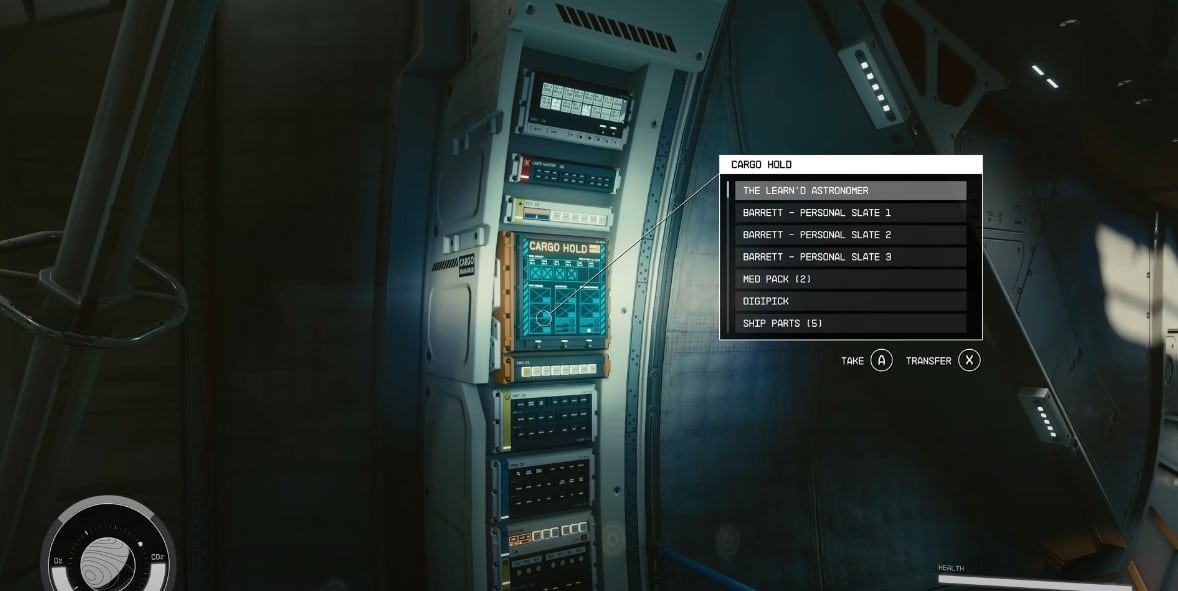
Like you, your ship’s inventory does have a limit. You can store almost any item that you want in your cargo hold as long as you don’t go past the limit. But you can carry a heavier load if you make the right investments.
How to Increase Storage in Ship Inventory in Starfield?
Get the Payloads skill under the Tech skill tree to increase your ship inventory storage. You can also purchase new storage modules by talking to a Ship Services Technician found near landing docks.
If you’ve picked certain backgrounds at Character Creation, increasing your ship inventory storage will be available sooner. This will allow you to carry heavy cargo for long-distance trips, so it’s easier to turn a profit.
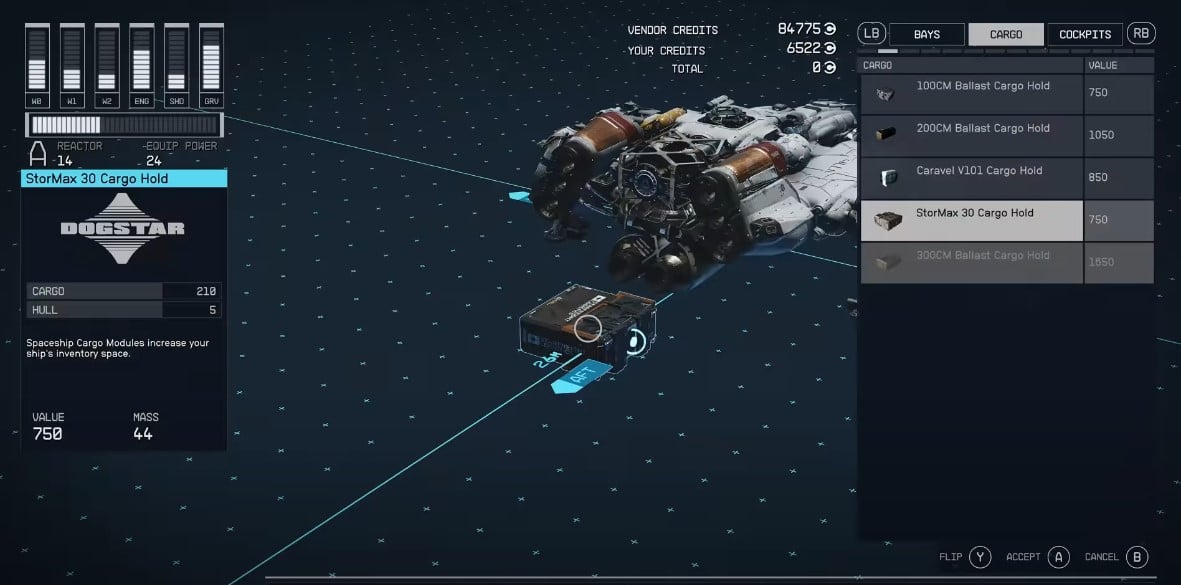
In Starfield, you don’t just have one ship. You can add more to your fleet by docking enemy ships and taking them for yourself. Each ship can be upgraded to have better cargo holds for more storage. However, you will need to first pay to register any ship you’ve acquired at a landing port before you can customize it.